
Where we landed
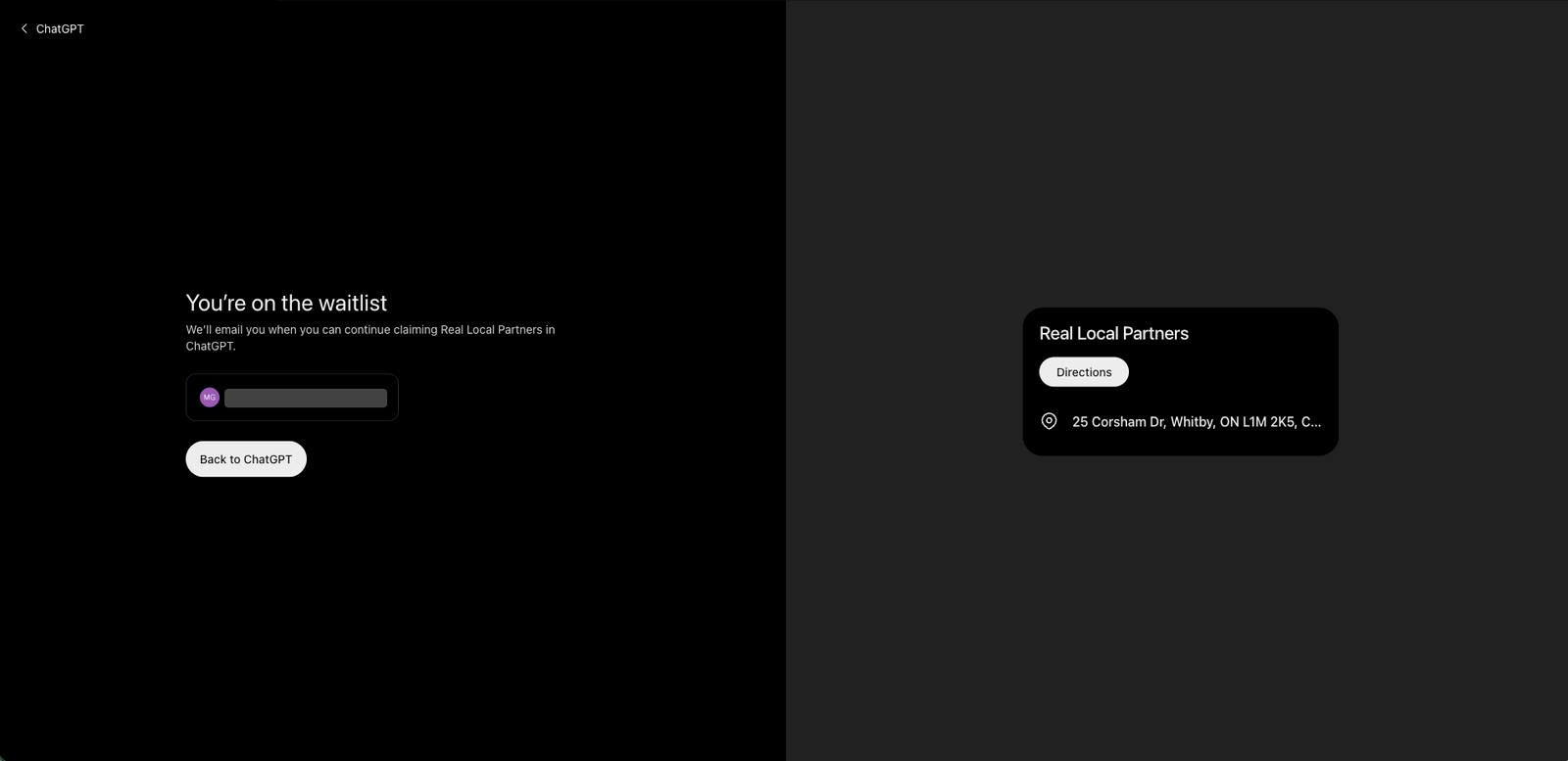
Two clients asked us this week about claiming a ChatGPT business profile, now that the news has people racing to do it. We tried it for Real Local Partners on November 12, two days after OpenAI opened the beta. The claim stopped at a waitlist screen.
Our advice is to claim it as soon as OpenAI lets you. It costs nothing, and you get to correct what ChatGPT says about you. But don't expect it to move you up. According to reviewers who've read OpenAI's help page, claiming doesn't guarantee higher placement or sales. And our view is simple. What gets a local business recommended by AI looks a lot like what already works on Google: accurate listings and a steady stream of recent reviews.
What we saw
We searched for Real Local Partners in Business Hub, found our listing, and started the claim. It ended at a screen reading "You're on the waitlist," with a promise to email us when we can continue. The listing ChatGPT already shows for us is bare. Our address and a Directions button. That's it.
What OpenAI launched
OpenAI launched Businesses in ChatGPT as a beta on November 10. Once a business is verified, it can update its details and see how often ChatGPT mentions it and sends people to its website. OpenAI says 1.2 billion people use ChatGPT each week.
Access is narrower than the headlines make it sound. Reviewers who went through the process report that local storefronts can claim only existing US listings for now, and that local businesses outside the US weren't eligible yet. Our waitlist fits that. But one attempt can't tell us why it happened. Business Agents, the AI reps that chat with shoppers for a company, are limited to eligible US e-commerce and online service businesses.
Limits and risks
Business Hub isn't a second Google Business Profile. Reviewers who compared the two say it gives you no search-query data and no ranking data, only mention and click counts and a summary of the topics people asked about. OpenAI also says a click doesn't confirm a visit.
The fine print deserves a slow read. Reviewers report that whoever manages the profile has to verify with a government ID, and that OpenAI support can't unpublish or hide a profile once it's live. Read the terms before you accept them.
It's free for now. No promise it stays that way. Agents can also be sponsored as destinations for ChatGPT ads. So we'd guess a paid layer arrives eventually. That's our read, and OpenAI hasn't said so.
What feeds ChatGPT's local answers
A profile you control is only one input. This summer OpenAI licensed Yelp's reviews and business listings for local answers, and it has a partnership with Foursquare. One local SEO practitioner also reported that changing the URL in his Google Business Profile showed up in ChatGPT almost immediately. That's a single test, so treat it as a hint.
Local SEO people call this entity consensus. It means the sources an AI draws on need to tell the same story about your business.
Keeping those sources consistent is a big part of what we do at RLP. And a claimed ChatGPT profile covers just one of them.
What could change this
If OpenAI publishes data, or credible testing shows, that claimed profiles get mentioned more often, we'll change our advice. The beta is only two days old. We'll update this post when our own claim clears.
What to do now, while the waitlist clears
- Check that your name, address, phone number and hours match exactly on Google, Yelp, Foursquare, Apple Maps, Bing and your own site. Even "St" versus "Street" is worth fixing.
- Fill out your Google Business Profile completely, including categories, services and photos.
- Ask customers for reviews on Google and Yelp, and reply to the ones you get.
- Give each service and location its own page on your website, written in the words a customer would use, and add LocalBusiness schema.
- Once a month, open ChatGPT with search on and ask five questions a customer might ask. Write down whether you show up.
- When your claim opens, use a business-owned account, verify by domain or business phone, and read the terms first. If someone offers to get you in ahead of OpenAI's rollout, ask them how.
Do this today: pick one listing, probably Google, and check it against your website for name, address, phone and hours. If something is off, fix it before you worry about ChatGPT. Want a second pair of eyes on all of them? Ask us for a listings check.
